


Bedtime Stories for Kids
4.715.00 Reviews
App Specs
- Version
- 5.1.20
- Updated On
- License
- Free
- Downloads
- 1,000,000+
- Developer
- Bedtime Stories Ltd
- Categories
- Parenting
- Platform
- Android
Screenshots

 Analysis by AppCompare
My first piece of advice for a new parent trying Bedtime Stories for Kids is to treat it as a way to make the last part of the day easier, not as a promise that bedtime will suddenly become effortless. A story can give everyone a shared focus when the evening is winding down, and that small change can matter. I’d begin with one short, low-pressure session rather than letting a child browse while already tired.
Choosing a first story without turning bedtime into browsing time
When a child is tired, too many choices can become one more obstacle. I’d pick a story before settling in, using a topic the child already enjoys or a familiar mood such as friendship or adventure. If you’re reading together, that gives you a natural starting point for a conversation; if you’re using audio, it avoids handing over the decision at the moment everyone is ready to sleep.
That distinction is useful in practice: the app can support a routine, but it won’t create one by itself. I’d keep the phone or tablet in the parent’s hands, choose the story, and make the transition to listening or reading part of the same predictable sequence each evening. It also helps prevent a story session from turning into a longer stretch of screen time than you intended.
Where it fits in a real evening
Imagine getting home late after an activity, with a child still wound up and a parent short on energy. A familiar story can provide a calmer next step while pajamas and teeth-brushing are already done. On a different night, when you have more time, reading together and pausing over the pictures can make the same app feel more like a shared activity than a quick way to fill silence.
I’d also use it selectively rather than making every night depend on a device. If the child is already settled with a paper book, there’s no need to replace that ritual. The app is most helpful when you need a ready-to-go story, want to change up the routine, or need an audio option while you stay nearby and finish a quiet task.
Who is likely to enjoy it—and who may prefer something else
It’s a natural fit for families who like having stories available in one place and want the choice between reading and listening. It may also suit caregivers who take turns at bedtime: a shared story can make the routine feel familiar even when a different adult is doing the settling. Parents who enjoy talking through a story with a child may get more from the reading experience than those looking for a hands-off sleep solution.
If your child strongly prefers physical books, or if you’re trying to keep screens out of the bedroom, a library book or a parent-told story may be a better match. Likewise, if bedtime works best with silence, music-free reading, or a very specific routine, an app with story audio may not add much. I’d think of it as another option in the family’s reading toolkit, not a replacement for every other bedtime habit.
Worth Reading Before You Choose

EA SPORTS FC Mobile 26 Is a Bigger Football Game, but It Takes Time

Flipboard Shows What News Apps Must Do Beyond the Feed

Switching to Android Auto Means Rethinking Your Driving Routine

Google Calendar Makes a Crowded Week Easier to Manage

Ludo King Makes the Most of the Minutes Between Plans

Baby Panda World Brings Quick Play to Modern Phones, but Its Game Library Feels Busy
How it compares with books and general audio
Compared with choosing a book from the shelf, an app can be more convenient when you want a story at hand without planning a trip to the library or remembering to pack a particular title. A physical book, though, avoids device distractions and can be easier for a child to handle independently. General audio can be useful too, but a children’s story app keeps the bedtime purpose front and center rather than mixing a story into a broader listening queue.
The trade-off is that convenience depends on your comfort with a screen being part of the evening. I’d decide on a simple boundary before starting: for example, the adult chooses the story, the device stays put, and the app closes when the story is over. That kind of small household rule can preserve the calm atmosphere you wanted the story for in the first place.
What to know before committing to a routine
The app is free to download, while optional in-app purchases range from $2.99 to $29.99 per item. I’d explore what is available at no cost before deciding whether a purchase is useful for your family. For a child who wants a different story every night, the available selection and any optional paid content may matter more than they would for a family that repeats a favorite often.
It’s published by Bedtime Stories Ltd and sits in the parenting category. It has a 4.7 average from around 12,000 ratings, and has been installed over a million times. Those figures suggest plenty of families have tried it, but they can’t tell you whether its style suits your child; a quick first session is a better test than popularity alone.
The app is rated for Everyone, and its current version is 5.1.16. It was released on February 4, 2023, and requires Android 9 or later. If you’re setting it up on a device used by more than one person, I’d check that it runs comfortably on the device you plan to use at bedtime before building it into a routine.
What Makes Bedtime Stories for Kids So Special?
First off, the app is super user-friendly. I mean, even if you're not tech-savvy, you'll find it a breeze to navigate. The interface is colorful and engaging, which immediately catches the kids' attention. The moment we opened it, my little ones were all in!
A Treasure Trove of Stories
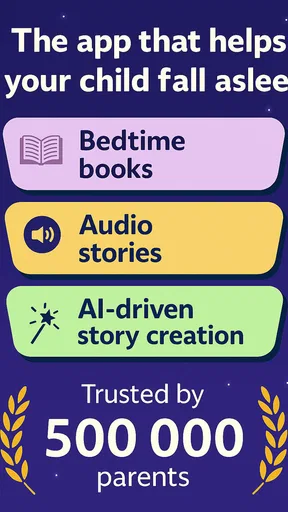
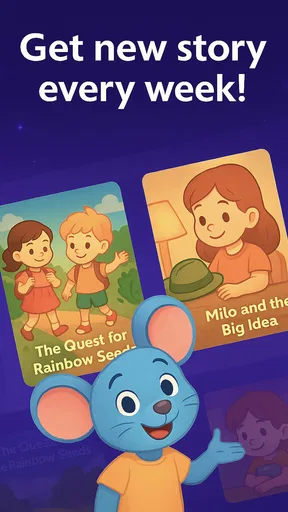
The app boasts an impressive library of stories tailored for various age groups. Whether you have a toddler or a preteen, there's something for everyone. I particularly love how it categorizes stories by themes like adventure, friendship, and even educational tales. It's like having a library in your pocket, ready for any bedtime scenario.
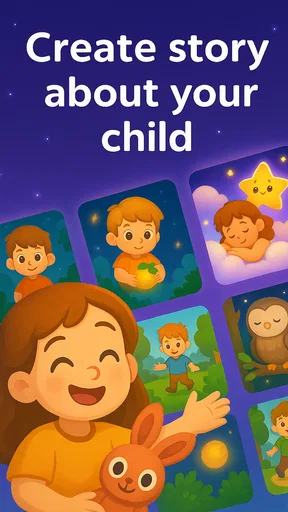
Each story is beautifully illustrated, which adds to the immersive experience. My kids love looking at the pictures while I read, and sometimes they even take turns narrating (which, let’s be honest, is adorable!).
Audio Stories for Busy Nights
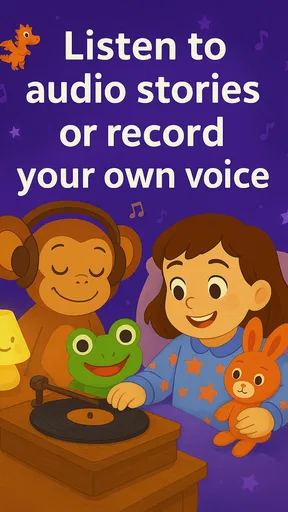
On those nights when you're just too exhausted to read aloud, the app has you covered. It offers a selection of audio stories, complete with soothing background music and professional narration. This feature has been a lifesaver on more than one occasion. Just tap play, and let the magic unfold.
Plus, the voices are so calming that I sometimes find myself drifting off to sleep too. It’s like a win-win situation!
Customizable Sleep Timer
One of the features I personally find genius is the sleep timer. You can set it to ensure the story ends just as your little one starts to snooze. It’s a thoughtful touch that helps create a consistent bedtime routine.
And if your kiddo is a night owl, you can gradually shorten the timer over time to encourage earlier bedtimes. It's all about making bedtime stress-free, for both the kids and us parents.
Interactivity and Engagement
What sets Bedtime Stories for Kids apart from others is its interactive features. Some stories include activities or questions at the end, prompting discussions or reflections. It's a delightful way to bond with your child and encourage their imagination.
These interactive elements make the app more than just a passive experience. My kids often get excited to predict what happens next or relate the story to their own experiences.
Safety and Privacy
As a parent, one of my top concerns is online safety. Thankfully, the app doesn’t require any personal data from the kids, and there are no pesky ads popping up. It’s a safe space for children to explore and enjoy without any worries.
The peace of mind knowing that my kids aren’t being exposed to inappropriate content is invaluable. Kudos to the developers for prioritizing this!
Final Thoughts
All in all, the Bedtime Stories for Kids app has become a staple in our bedtime routine. It’s not just about the stories—it’s about creating a magical, calming environment that makes bedtime something to look forward to.
If you’re looking for a way to transform your kids’ bedtime into a peaceful and enjoyable experience, this app is definitely worth checking out. It’s like having a bedtime assistant who’s always ready to help, and honestly, who couldn’t use a little help now and then?
So go ahead, give it a try, and let me know how it works for you and your little ones. Sweet dreams!
Pros
- Wide variety of stories available.
- Interactive elements enhance engagement.
- Soothing narration aids sleep.
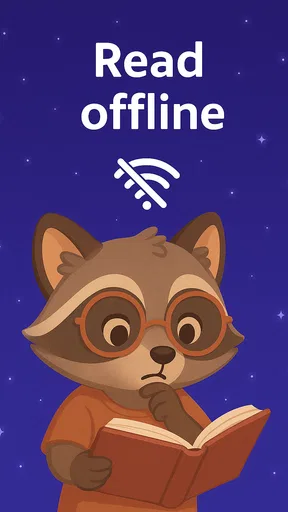
- Offline access for stories anytime.
- Customizable playlists for favorite tales.
Cons
- Limited free content available.
- Some stories require in-app purchases.
- Occasional bugs may disrupt playback.
- Ads can interrupt the listening experience.
- Requires internet for initial downloads.
FAQs for Bedtime Stories for Kids
What age group is Bedtime Stories for Kids suitable for?
Bedtime Stories for Kids is designed for children aged 3 to 10 years. The app offers a variety of stories that cater to different age groups, ensuring that content is both age-appropriate and engaging. Parents can select stories based on their child's age and reading level, making it versatile for different developmental stages.
Does the app require an internet connection to function?
While an internet connection is needed to download the app and access new stories, Bedtime Stories for Kids offers offline access to previously downloaded content. This feature allows parents and children to enjoy stories without worrying about connectivity issues, making it ideal for travel or bedtime.
Are there in-app purchases or ads within the app?
Bedtime Stories for Kids offers a free version with limited access to stories, supported by ads. However, for a seamless experience, users can opt for a premium subscription that removes ads and unlocks the full library of stories. This ensures uninterrupted reading and additional features for a small fee.
Can parents customize the reading experience for their children?
Yes, the app includes features that allow parents to customize the reading experience. Options like adjusting the narration speed, selecting background music, and choosing between reading aloud or silent reading cater to different preferences. These features help personalize the experience, making it more enjoyable for children.
Is the app available in multiple languages?
Bedtime Stories for Kids supports multiple languages, making it accessible to a wider audience. The app includes popular languages such as English, Spanish, French, and more. This multilingual support allows children from various linguistic backgrounds to enjoy stories in their native language, enhancing comprehension and enjoyment.


